I have happily used the free Stocard App to store all my loyalty cards for several years, it has allowed me to have access to around 20 cards without a fat wallet.
Now, the Stocard app is telling me I need to transfer all my card details to its new App called Klarna. When I started the process, I quickly realised Klarna specialises in shopping and purchasing not card/barcode storage.
Google tells me that Klarna have bought out Stocard, probably to increase it’s customer base.
I don’t want to sign up to a shopping / payments app. I just need a useful card / barcode storage app.
Do the Choice experts have any apps to recommend to replace Stocard?
5 Likes
For the type of use you have, look at Google Wallet (for Android and iOS) or Apple Wallet (for iOS)
4 Likes
I looked at Google Wallet and it only gives me the option of 1) adding a Payment credit or debit card, or 2) add an event ticket/pass.
4 Likes
In the Android Google Wallet app, “Add to Wallet” has Loyalty card and Gift card options. The iOS one should be similar.
If you go to the Google Wallet website (linked in the above article), click “Add pass” and it’ll offer Loyalty and Gift card options.
5 Likes
Yes, many thanks for that, I found the option. I will try it out.
3 Likes
These are all the items which can be added to Google Wallet:
You can add as many as you like under each category, providing the card is accepted within Google Wallet.
1 Like
Some of the cards I have on my non payment section of my wallet in iOS.
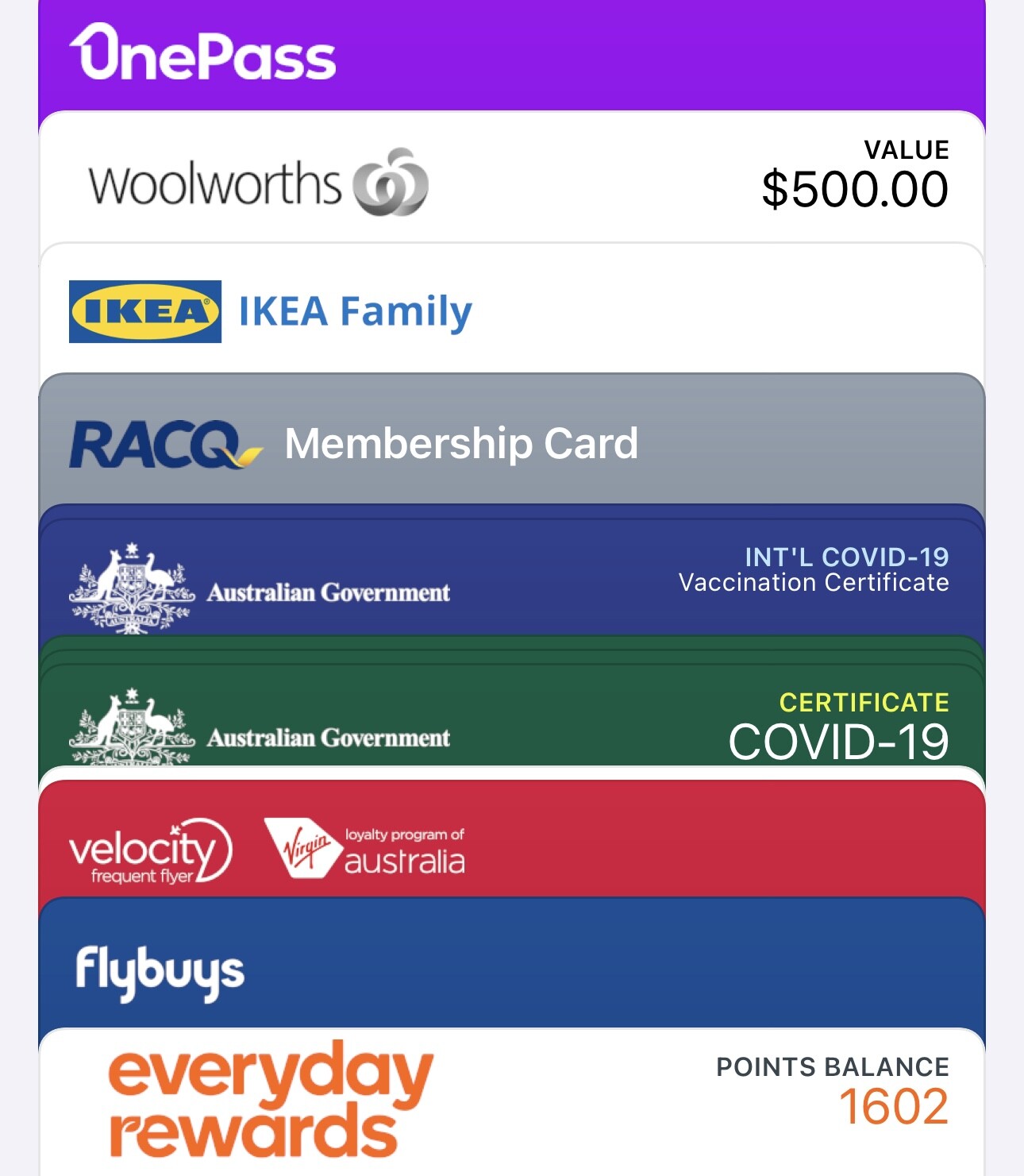
For some reason the Giftcard from Woolies shows up in the non payment section.
Medicare cards cannot be added, they are available only via the MyGov app, regardless of whether it is Google or Apple.
5 Likes
I’ve switched from Stocard to Klarna.
It seems to work in the same way. I’m not being bombarded with emails trying to sell me ‘stuff’.
4 Likes
I just don’t like Klarna. Its not as intuitive as Stocard was. I’m going to get as many cards into Wallet as I can, with one of those apps which will transfer them. At least everyday rewards goes in natively.
1 Like
I transfered to Klarna. Turned off all notifications ansd emails. So far I have not received anything, it just stores my cards like Stocard. So far it is ok. I am also not interested in using paying for purchases or what ever it is offering. I just want the cards stored. Hopefully it stays this way.
3 Likes
Frustratingly, Klarna does not have an Apple Watch app, unlike Stocard. I’ve been able to transfer FlyBuys and Woollies rewards cards to Apple Wallet but there’s no option to sync or upload these to the Apple Watch Wallet.
1 Like
I moved to Super cards. Klarna wanted too much of my personal info. I don’t use the google options, because I limit what I think Google should know about me.
3 Likes
@KennyGG I have the same issue with Stocard on a Samsung phone. I don’t do any online banking so I probably won’t use the bank’s wallet.
I’m wondering if I can just turn NFC off in settings to keep it that way or just not load banking cards?
On the Samsung you also have the choice of Samsung wallet. According to Reddit users found the categorisation of cards easier on the Samsung and described the Google wallet as just a stack of cards to scroll through till you find what you’re after. Hope these high tech solutions have a search capability.
1 Like
What do you mean by “one of those apps which will transfer them” please?
2 Likes
I don’t know what is available for Samsung/Android. I have an app called Pass2Wallet on my iPhone.
1 Like
Odd. I have Everyday Rewards on my apple watch in Wallet. Have not tried to add anything else except dc/cc.
That’s really good to know. Mine Apple Watch SE (Gen 2) doesn’t come up with any option to add, either via the Watch app on my phone or on the phone itself. Nor is there an option on the Woollies Rewards or Flybuys apps to add to Watch. Good to realise that it might be possible somehow, at least.
Flybuys app does have the option to add to the Apple iPhone wallet. On the app bar at the bottom click the wallet option then when it opens click the add to wallet button.
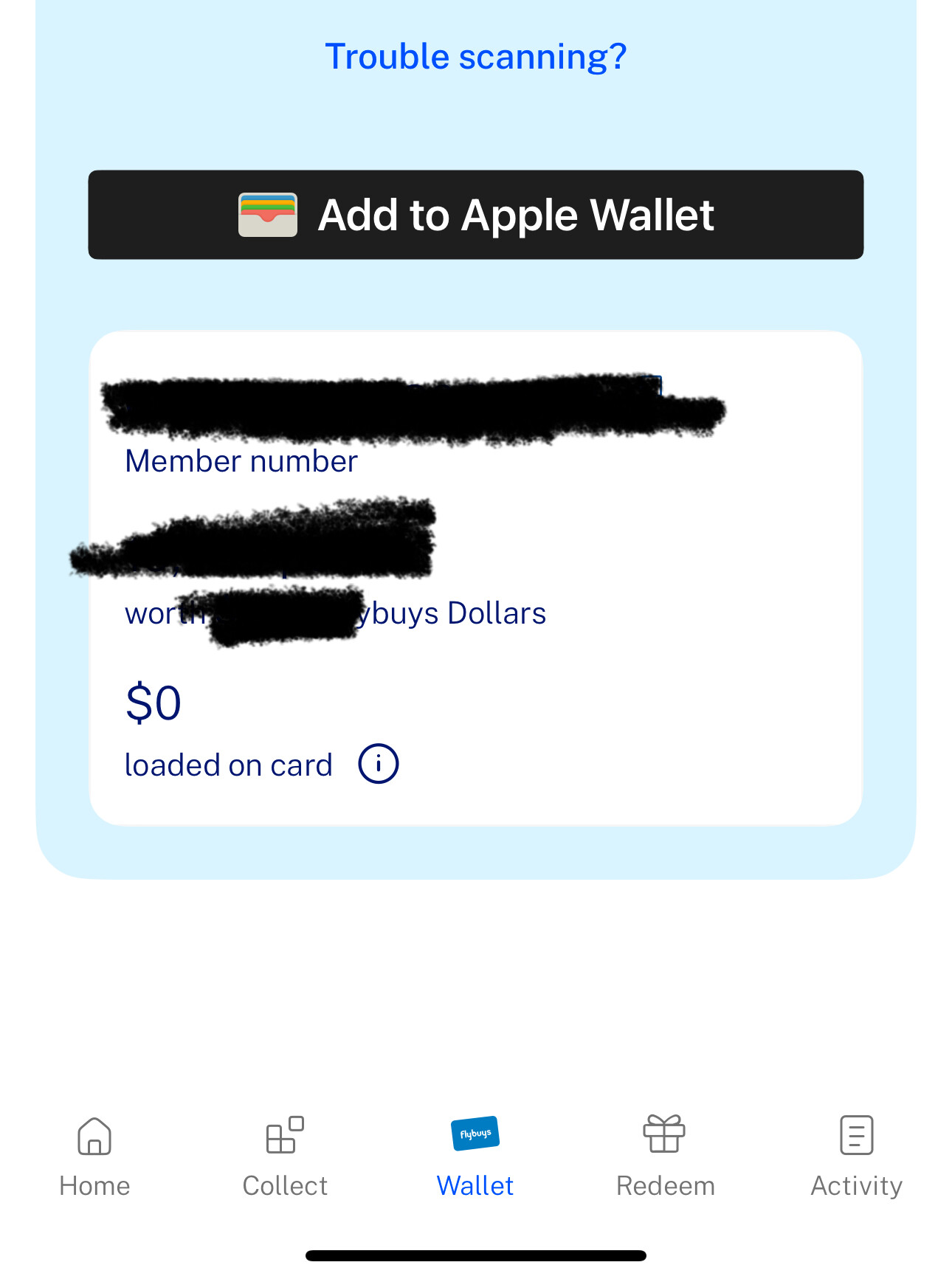
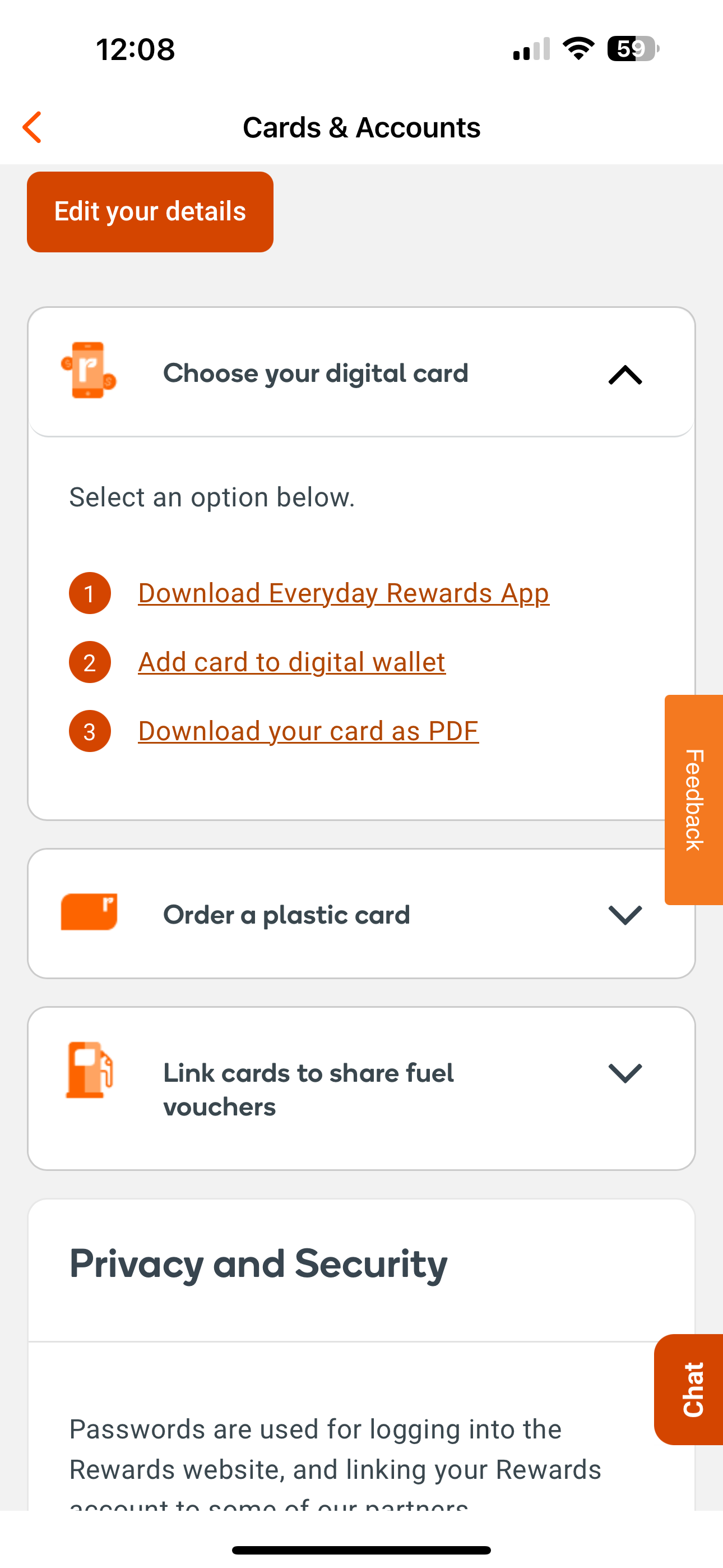
In Woolworths Real Rewards it is a bit longer step wise
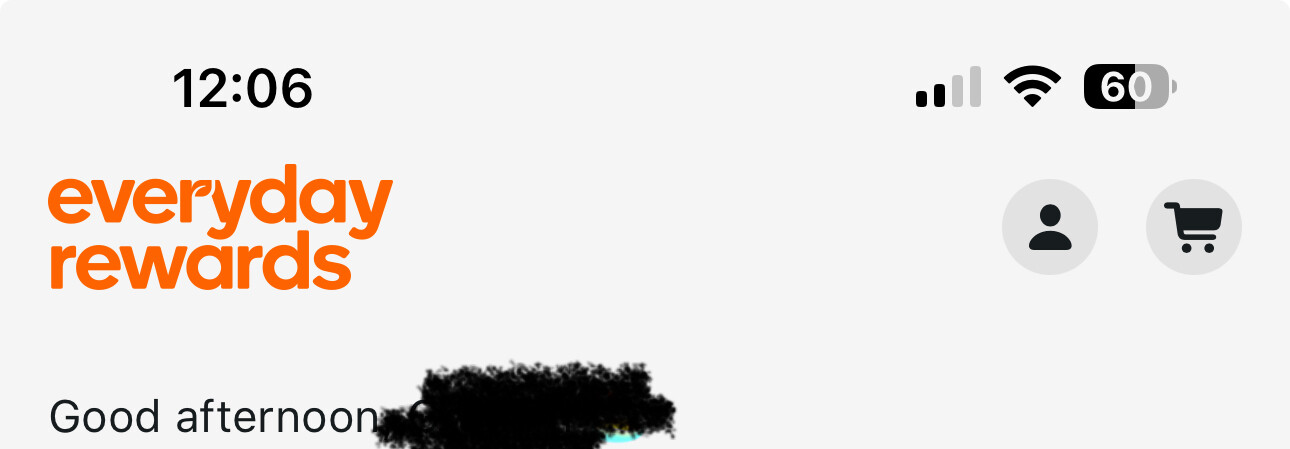
From the open app select the account icon (top right)
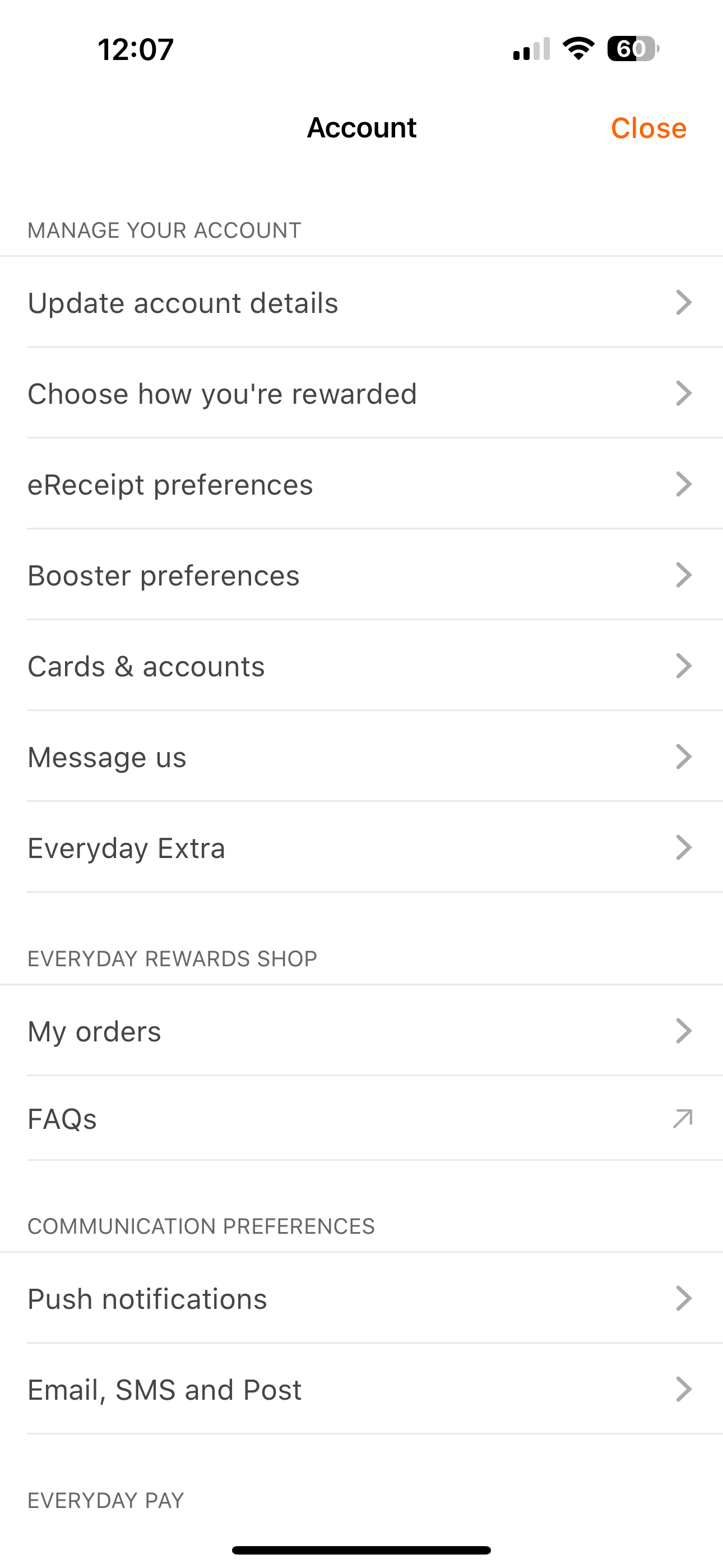
From the list choose the Cards & accounts
From the Cards and accounts section choose the
Choose your digital card then choose to add to your wallet option
1 Like
No option to add to Apple Wallet app on a watch though? 
1 Like
Possibly adds to your wallet if done through your phone first??
As I don’t have an Apple Watch, I don’t know what menu options you would see on the watch when the icons are clicked. I thought the watch was linked to an iPhone as part of the process of using one. If that is the case, settings may gravitate from the phone to the watch for items such as the wallet. One of my Daughters certainly has her Flybuys linked on her watch but I’m not aware of how she did get it there.
