There possibly died because of the take up of smart devices (mobiles, TVs and tablets) and photo posting platforms like Facebook, Instagram and Whatsapp.
These are more convenient to view photos at any time, rather than looking at a mantle piece at distance to try and to focus ones eyes to see what the picture is of.
Fortunately never bought one (or was given one), as it would have become eWaste.
I still have one. It occasionally gets turned on, not exclusively when I have guests over.
Photos are updated on it from time to time, semi-automatically from the central photo repository when the photo frame is plugged in. (That is the real negative. As it is not “on the network”, it can’t automatically reflect the latest photos. I believe that you could buy digital picture frames that have network capability but mine doesn’t.)
The TV offers the same functionality but better because a) it is on the network and therefore always reflects the latest photos, and b) it is able to present photos using different and dynamic organisational approaches (rather than just the “folder and file” that I get on my photo frame), and c) much bigger screen - doing justice to the resolution of the photo (providing that the screen is not too big).
A negative on my photo frame is that the firmware can’t (?) be updated - probably applies to most though.
That has two consequences for me a) mine only supports the old Windows 8.3 filenames (where’s the sick bag?), and b) mine seems to have a bug wherein during update with new photos, the file system sometimes gets corrupted - which is not a major drama, can reformat the file system back to ‘empty’ and resynch all the photos back on. (Maybe the two problems are related.)
I would not consider a mobile a suitable alternative due to the small screen size. A tablet could be a suitable alternative.
Whether an online platform is a suitable alternative depends firstly on whether you choose to share all your photos for advertising purposes with whichever company applies (I would not) and secondly on whether all relevant people have signed up to those platforms (they have not).
If the firmware on the photo frame can be updated, perhaps it can be repurposed for some useful embedded function around the house - so I won’t be eWasting it just yet.
Nowadays you could make your own superior photo frame using a Raspberry Pi.
They don’t need to just be photos, they can show art. You could have a “revolving” set of prints that you particularly like. See https://www.meural.com/ for a version
I have one in a bag at the bottom of the cupboard. It probably still has the SD card with photos. The intention was that I could keep it on my desk at work, but I change jobs too often and am too lazy to take it into every new office.
There was a niche for them. Not everyone had computers and/or them new fangled TV things without the channel selector dial on the front…
We gave several to a technophobic grandmother. She liked looking at photos of the family, but the flip albums we gave her kept falling when when she tried to change the picture. The digital frame was perfect for her as she only had to fip the on/off switch and it would give a rolling display of as many photos as the SD card would hold.
When she died, the digital photo frame was no longer needed, and so was hainded over to the op shop for a second life.
Hi all. I have a query about digital photo frames or other options.
I’m a great, great aunt and all my family live in England. Each Christmas I get lots of photos so I thought I might purchase a digital photo frame to go on my mantel that will scroll through them so as I pass or sit in the lounge I can watch my family.
I had a look at some posts only to find I’m way behind the times and they were ‘trendy’ some years ago.
My questions are; 1. Is a digital photo frame still current and the best item to use? 2. Is there a better option? I have hundreds of photos including my fathers WWII RAF photo’s and mothers ballet stage performances all sitting in albums or boxes in the bookcase. 3. What digital photo frame or other device do you think is the best. I’m not particularly technologically advanced .
We we’re seperated when I was 7. I was bought to Australia and my three brothers were placed with other aunts and uncles in England so it would be really nice to be able to see them without just changing to updated photo’s in frames on the wall. Any advice would be very much appreciated. Thank you.
I personally would say no. They are often small screens and display image quality can be poor.
An alternative is if you have a smart TV, many smart TVs allow photo shows to be displayed as part of their functionality. If you have a smart TV, an option may be to put the photos onto a flash drive (memory stick) and when you want to see the photos, run them on your TV.
We often use our smart TV to display holiday snaps to remind us of our travels. We have bought an Android media box for the smart TV as it is no longer ‘smart’ with internet connectivity and run the photos through this using one of the many apps available. We also store photos on a external hard drive which plugs in using a USB port. We used to use the TV to do such, which it still can do if we wanted to, but find the media box less clunky with the apps having more features (such as how the photos are presented etc).
If you want to preserve the photos for the future and share them with family, an option may be to create a photo book. This will require a bit of work as the photographs need to be digitised (scanned or copied electronically), sorted and then included in a book. One needs some time to make up the photo book and have online access. Photo books are available through many printing services type companies and others like Officeworks/Big W. They can also make gifts for family if one wants to give copies to them for future reference/keepsake.
The other option is that outlined above using a smart TV. This also requires any old photos to be digitised/scanned and converted into an electronic format. This can take significant time if one does it themselves, or can be a little expensive is sent out for someone else to do. Old photo prints can be photographed using a camera (phone or digital), but, there is likely to be significantly quality loss as contrasts and details can be lost.
“Significant time” and sufficient motivation are the key factors here!
I began this task several years ago on our large but not vast collection of printed photos, and stalled on it after only scanning a few hundred photos.
It really does take a lot of time and effort, especially for the ones that can’t be removed from albums and put through a dedicated photo scanner (which you would need to buy or borrow or rent). The ones I did do were the loose ones that could go through the Epson photo scanner I bought for the purpose. But most of the ones in albums have firmly fixed themselves to the pages and couldn’t be removed without damage. So the entire page has to be removed from the albums and scanned on a flatbed scanner. The full-page scans can then be automatically separated into individual photos using appropriate software.
For slides, you’d need a scanner designed to be able to scan slides. An ordinary flatbed scanner isn’t much good at that.
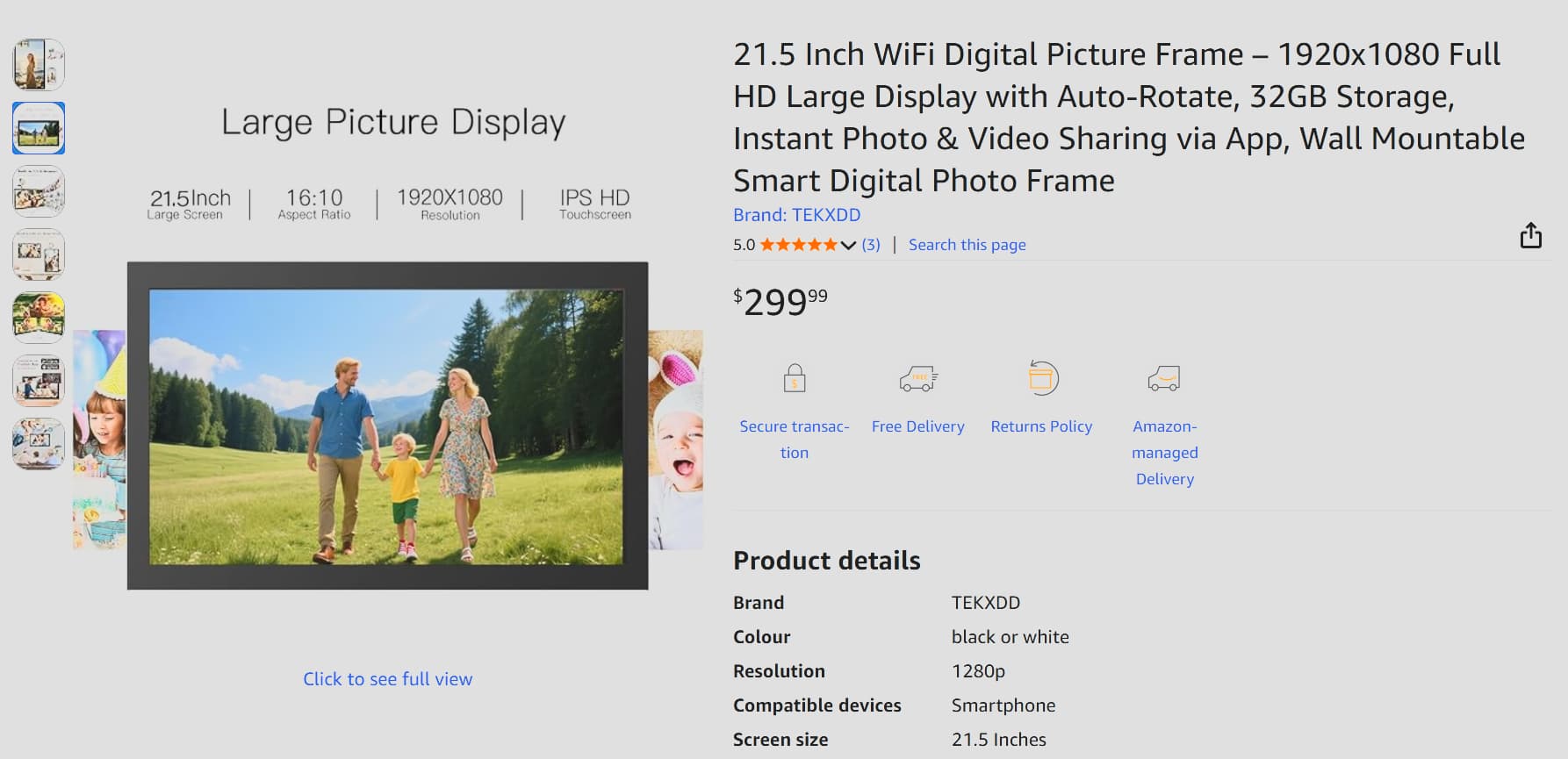
There are some larger digital photo frames found using appropriate searches. While most seem to be 7-10 inch this 21.5 incher is an example of the many larger ones on AmazonAU that might suit - none I can personally comment on.
As was mentioned they get expensive and scanning photos to digital images is either or both of time consuming and expensive to ‘buy services’, and the quality of scanning very old photos will vary although digital touch-up and correction is commonplace these days.
A TV would be more flexible but depending on where it would be placed, the photo frames are a lot thinner, especially if the goal is wall mounting.
We have had a number of digital photo frames and still own one which we no longer use. As others have said, the commonly available ones’ screens are small, and they tend to have a limited capacity on the size of thumb drives you can connect. Hence the photos can become ho hum after a while. After getting rid of one to an op shop, we used a second photo frame for an elder relative so they could lie back and watch their favourite family photos play over and over.
Do you have a computer or laptop? Perhaps an old one that is no longer used, but still works? We use our desktop and laptop computers to display our massive collection of over 115,000 (590Gb of disk space) photos as the screensaver. You can set the screensaver to play for different lengths of time, to suit your desires.
You could also connect your computer/laptop up to the TV via HDMI cable so the photos display on the TV.
Due to the volume of printed 35mm photos and slides we had we bought an Epson flat bed scanner, and later an Epson auto feed one.
If you have a Multi-Funcional Printer (MFP) that may allow you to scan photos too, one at a time.
If you are not into scanning yourself, there are photo scanning services that can and will do it for you.
You can have places like Officeworks to scan and save photos for you, there is a cost of course. Some will also undertake photo corrections as well to try to make the best possible outcome. Worth looking around and getting some prices to know if it something that a person might want to undertake.
I second this. A TV can provide a display of photos and is likely superior to a digital picture frame.
I guess if @Faith’s TV doesn’t have this functionality, she has to decide how much this is worth.
My guess is that if @Faith wants a digital picture frame, one may be able to be picked up for $0. There must be a lot occupying space in cupboards around the country.
Just as an update …
While the above was true in August 2019, in the ensuing 6 years, the digital picture frame has been relegated to a cupboard somewhere.
The photo (in fact media) library is now exposed by a range of network protocols (DLNA to 2 TVs and to computers, NFS/SMB/HTTP to computers - with HTTP being by far the most advanced of those protocols as it supports queries by caption, title, entities present, … and DLNA being the next most advanced, and NFS/SMB being just dumb file systems so basically just organised by folders). However this is not suited to someone who self-describes as “not particularly technologically advanced”.
Hi everyone. Thanks so much for the options. Sorry I didn’t attach my query to this older one but I thought it might be old and closed. I also thought that no one seemed happy with it and were getting rid of them back then so I’d get an update.
I was hoping for something that would run all day so I could glance as I passed whilst cleaning etc. I have a photo scanner and a separate slide scanner which I used for all mum and dads old holiday snaps and dads war photo’s. I scanned literally hundreds onto an external hard drive as I was worried if my computer died I’d lose them. Then the hard drive died. Lost everything. Luckily I still have the original slides as I haven’t sent them to England yet. So I can rescan.
I’m not sure if a tv/laptop would overheat having it going all day. It wouldn’t be everyday but a couple of times a week would be nice.
Oh also, I believe others can add to the frame via wifi so I thought my family may be able to add photo’s without needing to send them through the post (at Christmas).
A TV or well ventilated laptop won’t overheat. They are designed to be operational for long periods (or being kept on permanently which might occur in some places, especially businesses, hospitals, electronic stores on display etc).


 .
.